
Ever wonder if your phone can work like your own bank? Nowadays, most of us check our balances and make payments using mobile apps every day. Over 60% of people use their phones to keep track of their money.
These apps keep your information safe with secure logins that use face scans (a quick snapshot of your face) and extra codes (an added step to verify your identity). They also give you real-time updates so you always know where your money is.
In this post, we'll break down the key features that make these apps both handy and secure, helping you manage your cash more smartly. Stick around as we take a closer look at how these features work to protect your money.
Comprehensive Overview of Mobile Banking App Features
Mobile banking apps are now a big part of how we handle our money every day. Around 60% of users prefer doing their banking on these apps, and nearly one-third even send money through them every month. Plus, almost 80% of adults say they trust mobile banking. For example, Maria always checks her balance first thing, just like many Americans who rely on these apps for daily transactions. This helps set the scene for exploring a range of features meant to make managing money simple and secure.
A solid banking app brings together about ten core features to help you keep on top of your finances. First off, you get secure logins using things like facial recognition and extra codes sent to your phone, which means your data stays safe. There's also a clear view of your account with updates showing your current balance in real time. Need to transfer money? It’s as easy as a tap. Paying bills is almost automatic now, thanks to scheduled payments, and depositing checks takes minutes by turning paper into digital data.
The app even makes it easy to send money to friends without extra fees and sends real-time notifications so you never miss a transaction. Integrated budgeting tools pop up to help track spending, giving you clear insights on where your money goes. Digital wallet features boost convenience even more by supporting contactless payments and cardless ATM withdrawals. And if questions arise, in-app support with an AI chat is ready to lend a hand whenever you need it.
For real-world opinions and detailed comparisons, check out digital banking app reviews at https://cipherreview.com?p=1987.
Secure Login and Enhanced Authentication Features

Mobile banking apps today make logging in super easy and safe. They use facial recognition so you can unlock your app without typing a password, and they add an extra step by sending a special code to your device. This way, a quick face scan lets you in, and a follow-up check makes sure it’s really you.
All your information is also protected by end-to-end encryption. This means your data is scrambled while moving between your device and the bank, and it stays scrambled when stored. Even if someone were to intercept your data, it would be unreadable and kept safe.
Advanced Technical Insights on Secure Login
Not having a traditional password cuts down the risk of someone sneaking in. The extra step, where a unique code is sent to your device along with built-in recognition of your phone, makes the whole system even stronger.
Imagine a message transforming your words into an unbreakable code that only the intended receiver can read.
Robust Account Management and Real-Time Monitoring
Modern mobile banking apps make it super easy to keep an eye on your money. Picture this: you open your app and see your current balance and recent transactions updated right in front of you. Whether you’re checking, saving, or using credit, the numbers are always fresh, so you know exactly where you stand.
The app also gives you a clear look back at your transaction history. It lists every deposit and purchase with the date, the place, and the amount, helping you catch any mistakes or simply reflect on your spending.
Plus, switching between different accounts is a breeze. No matter which device you’re on or where you may be, everything syncs in real time. This smart setup keeps you fully in control of your financial picture, with live updates and detailed insights working together in perfect harmony.
Fund Transfers, Peer-to-Peer Payments, and Bill Scheduling

These days, many mobile banking apps let you move money in real time with ease. You can send funds instantly, which means splitting a dinner bill with a friend happens almost like magic on your phone.
Bill payments have gotten a lot smarter, too. You can set up scheduled payments so your utilities or subscriptions are paid automatically. This not only helps you steer clear of late fees but also gives you peace of mind that those everyday bills are taken care of.
Many apps now come with smart features that learn your spending habits. They can remind you when a recurring bill is due or even suggest making a payment during off-peak hours. On top of that, digital wallets let you make wallet-to-wallet transfers seamlessly. This means you can easily move funds between different payment systems, often without any fees and sometimes even across borders.
| Feature | Description | Use Case |
|---|---|---|
| Instant P2P Transfers | Real-time money transfers between individuals | Splitting bills or sending emergency funds |
| Scheduled Bill Payments | Automated processing of recurring bills | Utility, subscription, or loan payments |
| Recurring Payment Intelligence | Adaptive scheduling based on spending habits | Automated invoice processing and reminders |
| Wallet-to-Wallet Transactions | Transfers between digital wallet systems | Cross-wallet fund movements and international payments |
Mobile Check Deposit and Digital Wallet Connectivity
Mobile check deposits now come with smart image recognition that helps make sure your check scans turn out clear and accurate before you send them off. For instance, some apps use enhanced optical character recognition, a simple tool that reads printed letters, to cut down on mistakes and speed up the process.
Digital wallets have gotten a boost too, adding multi-factor authentication and controls that let you lock or unlock your card on the fly for extra safety. Take setting up recurring transfers, like with Apple Pay, for example, now they’re layered with extra security and offer smoother scheduling options.
| Feature | Technical Nuance |
|---|---|
| Mobile Check Deposit | Smart image recognition and OCR to confirm check details |
| Digital Wallet Connectivity | Multi-factor authentication with easy-to-use card controls |
Personalized Finance Management and Budgeting Tools

Mobile banking apps now come with finance modules that offer tailored advice and help you track every dollar you spend. A lot of users say these features reveal spending habits that might slip past unnoticed. For instance, Jamie found out that her little daily buys were quietly adding up to a hefty total. This kind of insight helps you tweak your spending and boost your overall financial health.
The cool part is that these apps automatically sort your purchases into groups like groceries, bills, or fun outings, so you can easily see where your money goes. With built-in analytics, tools that many millennials rely on, it’s simple to manage your monthly budget and set goals you can actually reach.
Plus, these budgeting tools aren’t just about looking back at what you spent; they help you plan ahead too. Many platforms offer interactive features that let you set spending limits and get real-time alerts when you’re close to them. If you’re looking for more detailed strategies, you might want to explore personal finance guides or try out an online budget planner to create and export templates that work for you.
In short, this hands-on approach turns raw expense numbers into a smart, strategic roadmap for your financial future.
Real-Time Notifications and Activity Alerts
Today’s mobile banking apps send you friendly push notifications to keep you updated about your money. They show every time cash comes in or goes out, so you always know what’s happening. You even see alerts for pending charges and low balances, which helps you avoid running into overdrafts.
Activity alerts go a step further. They monitor your spending patterns and even check for logins from unusual places. So, if there’s a big withdrawal or someone tries to sign in from an unfamiliar device, you get a quick alert to help protect you from fraud.
Key categories of alerts include:
| Alert Type |
|---|
| Transaction confirmation |
| Low-balance alert |
| Pending charge reminder |
| Large withdrawal flag |
| Login from new device |
| Suspicious activity warning |
Together, these alerts work like a personal safety net, keeping you in control and helping you manage your money with confidence.
In-App Customer Support and AI Assistance
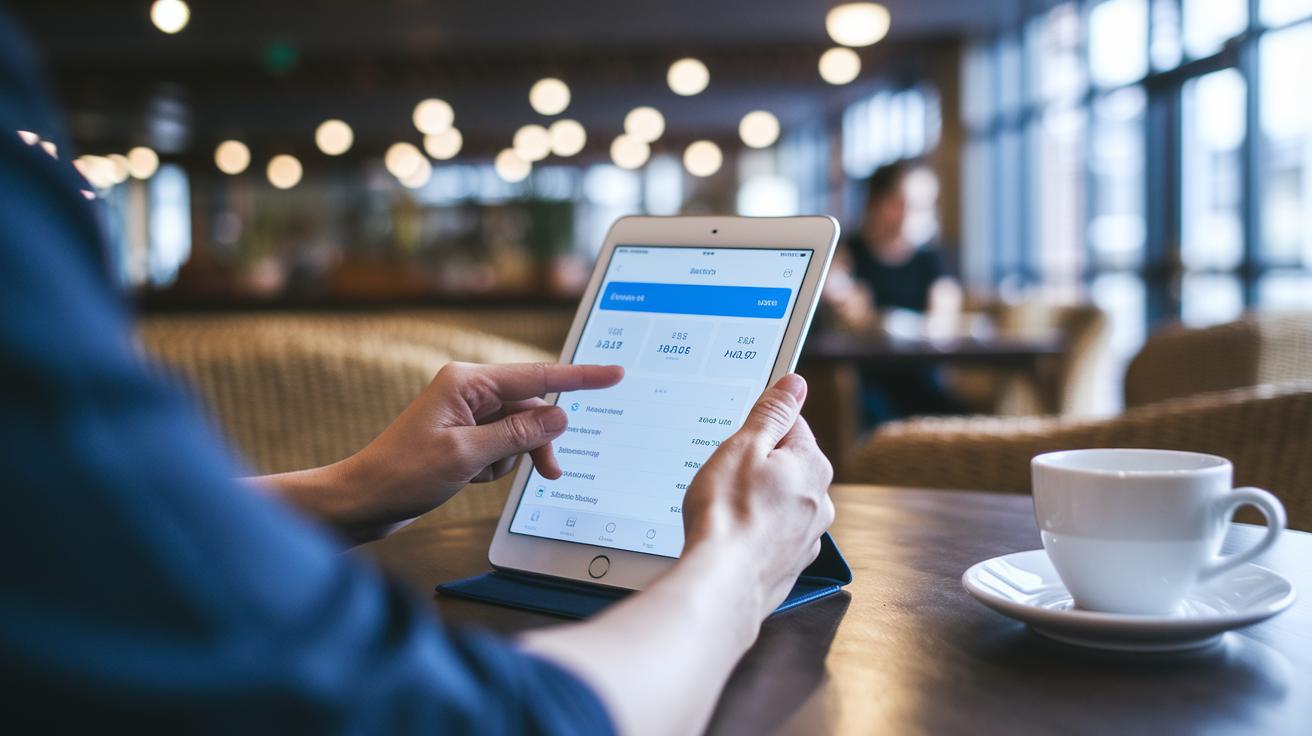
Mobile banking apps now offer friendly in-app support that’s available anytime you need it. AI chatbots are ready around the clock to answer common questions, so you’re never left hanging even at odd hours.
When things get a bit tricky or you need a detailed explanation, you can jump into a live chat with a real support agent. They take the time to sort out more complex issues, giving you personal guidance when you need it most.
The apps also let you use your voice to check your balance or make payments, making the process as simple as talking to a friend. And if you ever lose your card, there’s a one-touch replacement feature that even lets you track your new card’s delivery, something over half of users appreciate for its ease.
Overall, you get a smooth blend of AI efficiency and human warmth, ensuring you have reliable help right at your fingertips.
User-Friendly Interface and Cross-Platform Design
Native apps usually beat mobile websites when it comes to speed and offline access. Imagine opening an app that loads in a flash even if you're off the grid, it's like having a little bank right in your pocket. This kind of quick response gives you confidence, almost like a friendly nudge that your money is safe and easily managed.
The magic of responsive design means your app looks great whether you're on your phone, tablet, or even a wearable. It automatically adjusts so every button and piece of text is clear and easy to tap. Ever noticed how some apps just seem to know exactly what you need, no matter your device?
Clear, intuitive layouts make checking your finances feel effortless. A well-arranged dashboard lets you see your account balances, recent transactions, and alerts all at once. Picture a screen that updates in real time with a neat graph showing your spending habits, it can really boost your engagement and make tracking your money simple and fun.
And here's the best part: switching from your phone to your tablet doesn’t change a thing. The experience stays smooth and familiar, like chatting with an old friend. That crisp, clear design makes every transaction feel secure and straightforward, proving that thoughtful details can truly make a big difference.
Mobile Banking App Features: Innovative and Secure

Mobile banking is getting an exciting upgrade that's truly shifting the way we manage our money. New features like Eco Track™ let you see the carbon impact of your purchases in a clear and simple way, almost like checking your daily steps on a fitness tracker. AI-powered credit scoring works like a friendly guide, crunching numbers to understand your spending habits better so that banks can make smarter lending decisions.
Banks are also teaming up with other fintech tools to build one smooth, unified platform that just works. And think about this: even when your connection is a bit spotty, offline transaction capability means your payments still go through, keeping your trust intact on those busy, everyday moments.
Young users, especially Gen Z, are shaping the design now, pushing for a look and feel that’s personal, intuitive, and fun to use. Plus, advanced data tools turn plain numbers into easy-to-understand tips that help you make smarter choices about your spending. Card-linked offers even add extra perks by automatically unlocking discounts when you shop.
Ever notice how things change when technology steps in? Before we had digital tools, traditional credit scoring barely scratched the surface of consumer habits. Now, AI digs a bit deeper, reading between the lines to reveal insights that really drive future trends. All of these innovations point to a future where mobile banking is not just secure, it’s also proactive, ready to take on what comes next.
Final Words
In the action, we explored mobile banking app features that simplify access to secure login, intuitive account management, quick fund transfers, and smart budgeting tools. We broke down key elements like real-time notifications, in-app support, and cross-platform design, showing how feature-rich banking apps keep pace with modern financial needs. The insights here empower you to handle investments with clear, data-driven guidance. Stay upbeat and confident as you use these tools to boost your financial strategy.
FAQ
Frequently Asked Questions
What is mobile banking and its features?
Mobile banking means using apps that let you manage finances on the go with secure logins, real-time account views, fund transfers, bill payments, check deposits, digital wallet connections, and budgeting tools.
What are the advantages of mobile banking apps?
The advantages of mobile banking apps include quick and secure transactions, easy account monitoring, real-time alerts for spending, and built-in budgeting tools to help you manage your finances effectively.
What does mobile banking allow you to do?
Mobile banking allows you to check balances, transfer funds, pay bills, deposit checks with your phone, and receive notifications about account activity anytime, anywhere.
Which mobile banking apps are popular and free?
Banking apps like Bank of America Mobile Banking and several free online banking apps offer key features—secure access, real-time account updates, and seamless money management—to meet diverse financial needs.
What features should you look for in a high-quality mobile banking app?
Look for user-friendly design, strong security like biometric and multi-factor logins, robust account management, instant fund transfers, mobile check deposits, and smooth integration with digital wallets.


