
Ever wonder if a small slip-up might shut down your bitcoin mining profits? A loose cable or a cooling problem can quickly slow things down. So, it helps to check your setup often and fix any issues right away. In this post, I break down simple steps and share easy tips to spot and fix common problems. With a bit of regular care, your rig will keep humming along, saving you from costly delays.
Comprehensive Bitcoin Mining Setup Troubleshooting Overview
Quick fixes keep your mining running and help you avoid long downtimes that could cost you money. When error codes like "Over Temperature" or "Fan Failure" pop up, taking immediate action saves precious mining time. For instance, if you notice a "Low Hash Rate" warning, checking for cooling issues right away can keep your system humming smoothly.
Start by watching for miner lights and error messages. Give your hardware a quick once-over, check all the cables, power supplies, and ensure everything is secure. When an error like "Communication Error" appears, it might be as simple as a loose cable or a shaky internet connection. Think of it like trying to start a device with a plug that isn’t firmly in place, secure the connection, restart the system, and keep an eye out to see if the problem comes back.
Routine check-ups are key to keeping your setup in top shape. A daily visual check, a weekly dusting off, and a detailed monthly review can catch small issues before they become big headaches. Maybe a quick look at a fan during your daily routine might spot early signs of wear, ensuring your mining rig stays in full working order.
Identifying and Resolving Hardware Faults in Bitcoin Mining Rigs

When your mining rig isn’t quite running as it should, it helps to have a simple plan to check for hardware issues. We tackle common problems like shaky cables, unstable power, and cooling hiccups by mixing quick fixes with clear steps. This way, you can get your machine back on track without any guesswork.
Loose or Damaged Cables
Start by checking each cable. A cable that’s loose or worn out can stop power from flowing properly. Go over your connections, secure any ends that seem loose, and look for signs of damage. It’s like making sure all the wires on a homemade kite are tied tight, small fixes can prevent bigger problems later.
Power Supply and Voltage Checks
Keep an eye on your power supply. Running regular diagnostics can help you spot voltage swings before they damage your rig. Use a simple voltage tester on the main input to check that the numbers stay safe. Think of it like checking the battery on your favorite toy; a little routine check can stop a lot of trouble in its tracks.
Overheating and Cooling Failures
A rig that overheats is a rig that stops working well. Make sure your cooling parts, like fans, are spinning properly, and don’t forget to clean off any dust from your heatsinks. The rig might even throw an “Over Temperature” error, which is its way of saying it needs some cooling love. A bit of cleaning can make a world of difference.
Thermal Sensor and Component Inspection
Look at your thermal sensors next. Dust or mild damage can lead to incorrect temperature reads, which might hide a bigger problem. While you’re at it, check the other parts for early signs of wear. Imagine it as checking the tires on your bike before a long ride, simple inspections can help you avoid a breakdown later.
By following these steps, you can keep your mining rig running smoothly and deal with issues like loose connections, erratic power, poor cooling, and sensor glitches in one go.
Troubleshooting Software and Firmware Issues in Bitcoin Mining Setup
Mining operations can grind to a halt when software or firmware hiccups pop up. When settings go wrong, your system might not even spot those crucial GPUs or ASICs, and error messages like "No devices detected" in CGMiner can sometimes crash the system altogether. You might also see BFGMiner timing out or getting stuck on authentication checks, while an Antminer could power on but fail to start hashing because of a misconfiguration. And, yes, outdated firmware, random glitches, or even sneaky malware can throw a wrench in your mining efforts. Tackling these problems quickly not only saves you time but also keeps your mining profits safe.
- If your mining software isn’t noticing GPUs or ASICs, start by checking your device settings and updating your drivers. Sometimes a quick review of your system configuration does the trick.
- When CGMiner crashes on startup, it’s a good idea to update to the latest version and double-check your configuration files.
- For those annoying "No devices detected" errors in CGMiner, try reinstalling the software or tweaking the settings so that your devices are properly scanned.
- If BFGMiner starts timing out or fails to authenticate, make sure your mining pool credentials are correct and that your network connection is solid.
- In cases where an Antminer powers on but doesn’t hash, review the firmware settings and confirm that all configuration inputs are accurate.
- When outdated firmware begins causing glitches, keep it updated to the latest version to minimize errors.
- If log files hint at hidden issues, use the built-in diagnostic tools to comb through them and pinpoint the exact problem.
Taking a systematic approach can really help reduce downtime. It might feel like a lot at first, but setting up a routine with regular firmware updates and checking log files often can catch issues early. Running periodic scans for software vulnerabilities and verifying configuration settings can also prevent many common problems. And it never hurts to test solutions on a small scale before rolling them out to the entire system. This careful method not only gets your system back to peak performance quickly but also builds a more resilient mining setup in the long run.
Diagnosing Network and Connectivity Problems for Bitcoin Mining Setups

Have you ever dealt with those frustrating moments when your mining system suddenly loses touch with the pool? It might feel like your mining setup is taking a nap, frequent disconnections can really drag down your efficiency. Sometimes, the dashboard might freeze, leaving you clueless about your hash rate or progress. And if you run a simple speed test and find your internet sluggish, that hints at delays interfering with the pool connection. Sometimes it’s just a case of outdated credentials or a tiny misconfiguration that slips by unnoticed, causing your system to struggle with a steady link.
So, what can you do about it? First, check your internet connection by running a speed test to catch any lag. Then, give your Ethernet cables a quick look and reseat them if needed, because loose cables are often the culprit behind brief outages. Next, tweak your firewall and port settings to clear out any issues that might be blocking smooth communication with the pool. Finally, revisit your pool settings to ensure all your credentials and network details are spot on. This step-by-step approach can help you get back on track and keep your mining operations running smoothly.
Optimizing Mining Performance Through Calibration and Thermal Management in Bitcoin Setups
When it comes to keeping your bitcoin mining setup running smoothly, two things really matter: calibration and cooling. Adjusting settings like operating frequency and voltage not only boosts your hash rate but also helps your hardware last longer by preventing unnecessary strain. Think of it like tuning a bike; you get better performance without risking a breakdown. Plus, keeping devices like ASICs in the comfy range of 60°C to 70°C makes a big difference.
Fine-tuning isn’t a one-and-done deal. It involves digging into the details, making small adjustments to operating frequency and voltage to balance performance and power efficiency. This method keeps your setup running safely and efficiently, almost like giving it a regular health check-up. The table below shows some typical settings you might look at:
| Parameter | Recommended Range | Impact on Hash Rate |
|---|---|---|
| Operating Frequency | 1.0-1.5 GHz | Boosts processing speed |
| Voltage | 1.0-1.2 V | Keeps performance stable |
| ASIC Temperature | 60°C–70°C | Maintains efficient mining |
| Power Supply | Stable and regulated | Prevents power fluctuations |
Regularly checking these key points can save you from unexpected downtime. A quick glance at your frequency, voltage, and temperature readings can help spot issues before they become major setbacks. And don’t forget about airflow, keeping your cooling components clean and ensuring there’s enough fresh air moving around is like giving your rig a refreshing breeze on a hot day. This thoughtful approach to calibration and cooling not only keeps your system safe but also lets it operate at its full potential.
Routine Maintenance and Advanced Troubleshooting for Bitcoin Mining Setups
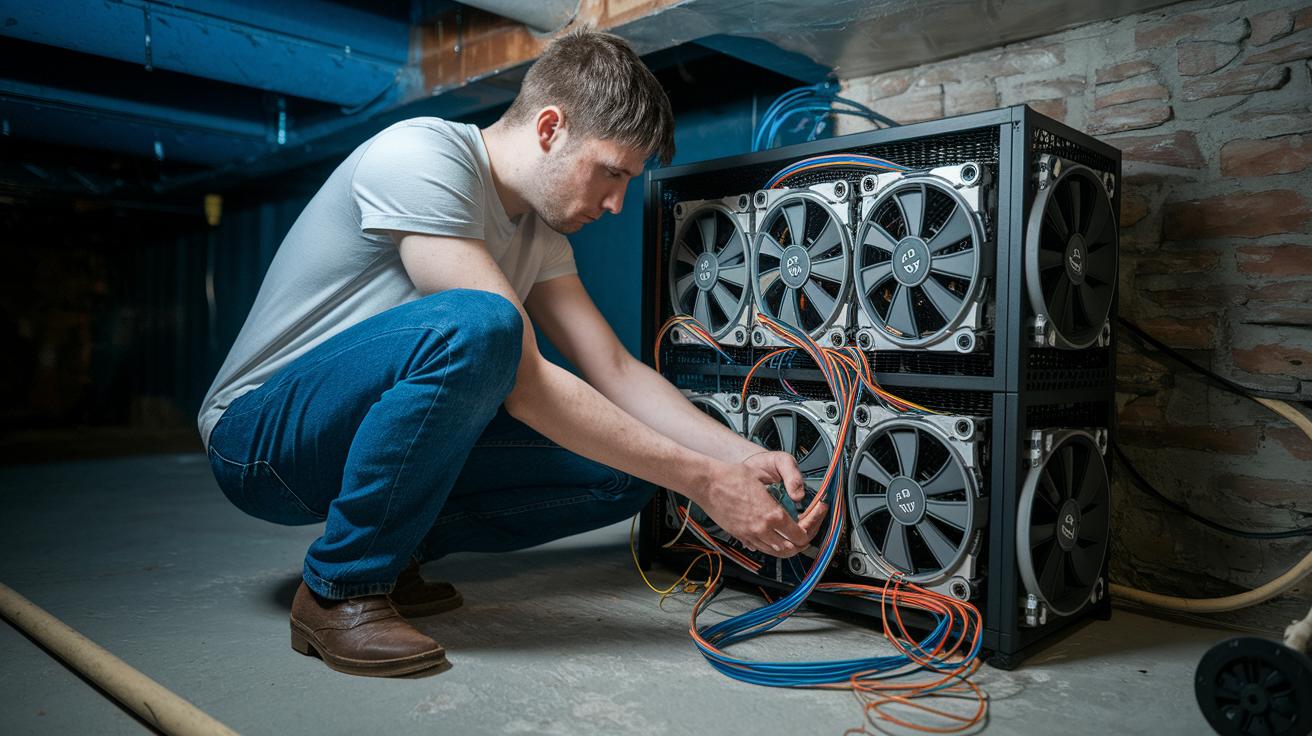
Daily checks on your mining setup can catch little problems like tiny cracks or loose cables before they become a big deal. A quick look once a day helps you spot issues early, and using compressed air to clean dust from the fans every week keeps everything running smoothly. Every month, give the fans and heatsinks a deeper clean to boost airflow and prevent overheating. Also, take a peek at your log files with the built-in diagnostic tools, it’s a lot like checking the oil in your car to avoid engine trouble.
When things start to act up, advanced troubleshooting can pinpoint exactly where the problem is. Use tools like a multimeter to check voltage fluctuations and confirm that all cables are properly connected. Testing each component with a detailed failure mode analysis can reveal hidden weak spots. And if glitches persist, doing a factory reset after backing up your data can restore normal operation, much like rebooting your computer to clear out stubborn errors.
Final Words
In the action, we explored ways to keep your bitcoin mining setup troubleshooting process smooth and efficient. We looked at how quick fault resolution, hardware care, and software fixes help avoid prolonged downtime.
We also broke down diagnostics for network issues and the benefits of regular cleaning and calibration.
Each segment offers a clear, step-by-step approach, ensuring you can keep your mining operation rolling smoothly. Keep testing and checking your systems, and let good routine practices lead you to success.
FAQ
How can I optimize NiceHash mining performance and resolve common issues?
The question on NiceHash performance covers increasing mining speed by updating software, checking hardware connections, and adjusting settings. It also addresses fixing flash tool errors, error 105, ASIC configuration, USDT miner withdrawals, and OS WiFi issues.
What is the major issue with Bitcoin mining?
The question on Bitcoin mining’s main challenge points to high energy costs and rising mining difficulty, which drive up expenses and squeeze profit margins for miners.
How long does it take to mine $1 of Bitcoin?
The question about mining $1 of Bitcoin means duration varies with hash rate, mining difficulty, and energy costs, typically requiring days or weeks on average setups.
How do I set up a Bitcoin mining system?
The question on setting up a mining system involves installing mining software, configuring hardware and power supplies, verifying network connections, and regularly monitoring system performance.
Why is Bitcoin mining not profitable anymore?
The question on decreasing Bitcoin mining profitability highlights increased energy consumption, tougher competition, and higher mining difficulty, all of which reduce overall profit margins.


